


Pin Trading - Scan & Collect
4.527.00 Reviews
App Specs
- Version
- 1.1.9
- Updated On
- License
- Free
- Downloads
- 10,000+
- Developer
- Evergreen Apps LLC
- Categories
- Lifestyle
- Platform
- Android
Screenshots
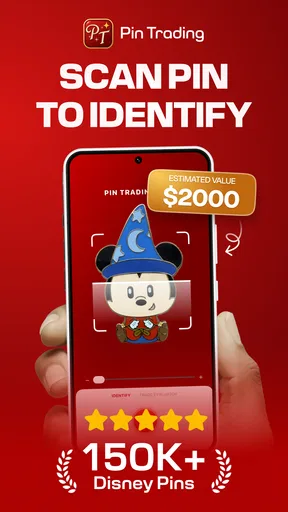
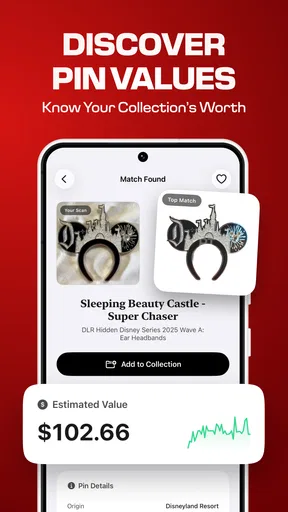
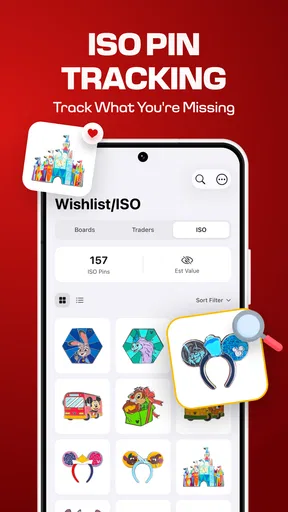
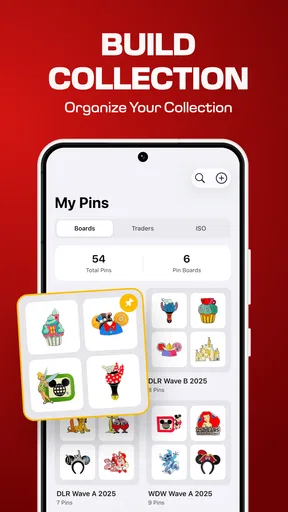
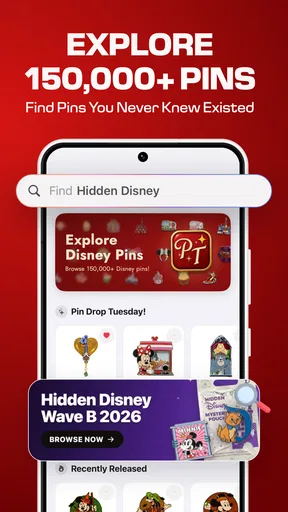
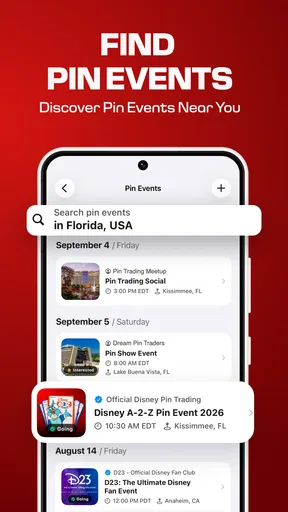
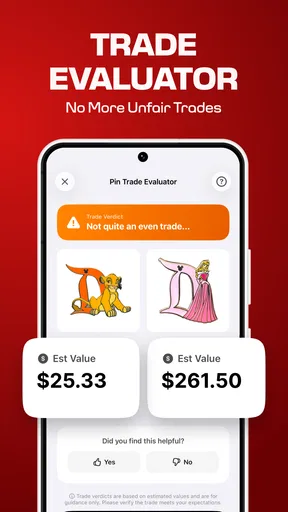
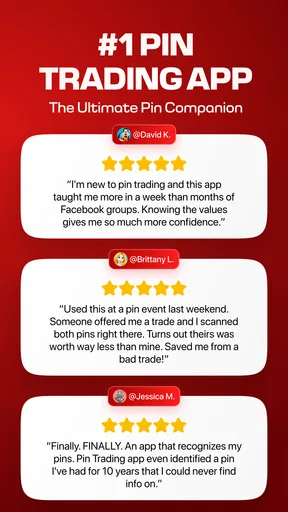
 Analysis by AppCompare
I approached Pin Trading - Scan & Collect as a practical companion for people who enjoy collecting and exchanging pins, rather than as another general-purpose lifestyle app. Its appeal is easy to understand: when a collection grows beyond a handful of items, memory becomes unreliable, conversations become repetitive, and deciding what to trade can take longer than the exchange itself. An app built around scanning and collecting can make those moments more manageable.
My experience is that the value here depends less on constant browsing and more on how consistently you use it around real-world pin trading. It is most useful when you are preparing for an event, checking your collection while away from home, or trying to avoid bringing duplicates back into a trade. The app is free to start, is rated for Everyone, and comes from Evergreen Apps LLC. Its current version is 1.1.9, with support beginning at Android 8.0.
The store presents it as a pin trading companion, but that description does not fully explain the practical question: will it genuinely improve the way you organize and discuss your collection? I think it can, especially for active collectors, although people who only own a few pins may find a simple note or photo folder quicker. The deciding factor is whether scanning and maintaining a dedicated collection feels easier to you than relying on memory.
How Pin Trading - Scan & Collect fits into real collecting
I find a dedicated pin record most useful when it answers a practical question before I leave home: which pieces do I actually want to carry, and which am I comfortable trading? Thinking through that choice also helps me keep personal keepsakes separate from items I’m happy to exchange. From there, the next useful step is fitting the app into the conversations and handoffs that make trading enjoyable.
Scanning is most useful before the busy moment
The obvious place to use the app is during a trade, but I would not make the trading table the first time I tried to organize everything. A crowded event is noisy, movement is constant, and you may have only a short window to decide whether an exchange makes sense. The better workflow is to prepare your collection beforehand, then use the app as a reference when you are out.
That distinction matters. A collection tool is not valuable simply because it can hold information; it is valuable when the information is ready at the moment you need it. I would scan and review my pins at home, check for duplicates, and separate items I am willing to trade from those I want to keep. Then, at an event, I could focus on the conversation instead of trying to reconstruct my collection from memory.
This also creates a useful habit for new collectors. Rather than treating every pin as an isolated purchase, you begin to see the collection as something that needs light maintenance. Adding an item soon after acquiring it reduces the chance of forgetting where it came from or accidentally treating a duplicate as a new addition. The app becomes more helpful when it is part of that routine.
Worth Reading Before You Choose

Flipboard Shows What News Apps Must Do Beyond the Feed

Switching to Android Auto Means Rethinking Your Driving Routine

Google Calendar Makes a Crowded Week Easier to Manage

Ludo King Makes the Most of the Minutes Between Plans

Baby Panda World Brings Quick Play to Modern Phones, but Its Game Library Feels Busy

ESPN’s Live Game View Makes Following Close Games Easier
Connectivity changes the timing of the experience
Scanning and collecting naturally invite phone use in places where the network may be unpredictable: venues, queues, crowded halls, transport, or large public events. That makes connectivity an important part of the experience. I would avoid assuming that every action will behave the same way with a strong connection and a weak one. Instead, I would prepare the collection before leaving and allow extra time for anything that appears to depend on communication with the service.
This is not just a technical concern. A slow response can interrupt a trade, make you hesitate, or encourage you to skip recording an item altogether. If you are using the app as a live reference, the best approach is to treat it as support for your decision rather than the only source of truth. Keep the physical pins in front of you, confirm the exchange verbally, and use the app to reduce uncertainty rather than replace common sense.
For a collector who attends organized events regularly, this preparation-first approach is one of the most important practical lessons. The app is more dependable as a pre-event organizer and quick reference than as something you expect to build from zero while standing in a busy line. That is a trade-off shared by many collection apps, but it is especially noticeable when scanning is part of the appeal.
A realistic event-day workflow
Imagine arriving at a pin trading event with a small pouch of items and a phone that is already busy with messages, photos, and notifications. Before the event, I would review the collection and identify the pins that are available for exchange. During the day, I would check an item when someone offers a trade, then record the result after the conversation rather than trying to type while both people are waiting.
That small change in timing makes the process less awkward. It also gives me a chance to verify that the pin I received is the one I intended to add. If the network is slow at that moment, I would make a temporary note in my own words and update the app when the connection is better, rather than abandoning the record entirely. The app helps most when it supports the social part of trading instead of getting in the way of it.
Another useful routine is an end-of-day review. Once the event is over, I would compare the physical pouch with the digital collection, look for anything missed, and correct mistakes while the details are still fresh. This is more reliable than expecting perfect data entry after several days of trades. It also turns the app into a simple memory aid, not merely a scanning screen.
Using it in short mobile sessions
Pin trading is often a mobile activity by nature. You may be standing, carrying a bag, sharing a table, or moving between locations. That means an app can be more useful in short bursts than in a long sitting. I found the strongest use case to be a quick check before buying, a fast update after a trade, or a brief review while planning what to bring.
I would not expect the best experience while walking or while juggling several physical items. The phone needs attention, and scanning or recording a pin is easier when you can stop for a moment. A simple rule helps: handle the pin first, secure it, then update the digital record. This avoids dropping an item or entering information before the exchange is actually complete.
The same principle applies when traveling. A phone battery that is nearly empty, a crowded environment, or an unreliable connection can turn a convenient tool into a distraction. I would keep the collection organized before the trip and use the app selectively rather than opening it for every small decision. That makes the mobile experience feel lighter and protects the social side of the hobby.
What happens when something does not go smoothly
Any scanning workflow has moments that need a second attempt. An item may not be recognized immediately, the phone may be pointed at the wrong angle, or the surrounding environment may make the process awkward. My advice is not to keep repeating the same action without checking the basics. Pause, steady the phone, improve the lighting if possible, and confirm that the pin is positioned clearly.
When the problem appears to be connectivity rather than scanning, repeating the action several times may create confusion about whether the item was recorded once or more than once. I would first check the collection before trying again. If the item is already present, avoid adding another entry simply because the screen felt slow. This is a small but important safeguard for anyone who cares about an accurate inventory.
Recovery is easier when you separate physical and digital tasks. Keep the traded pin somewhere secure, remember who the exchange was with if that matters to you, and update the record once the app responds normally. If you make a mistake, correct it as soon as possible instead of allowing the error to become part of the collection. The app can support organization, but it cannot independently verify that a trade happened exactly as remembered.
I also recommend reviewing entries after a major collecting session rather than trusting every quick update. A short audit can reveal duplicate records, an item that was never added, or a pin accidentally marked in the wrong place. This is one of the less obvious benefits of using a dedicated tool: it encourages a repeatable process. The drawback is that the process still requires discipline, and collectors who dislike maintenance may find it tiring.
Keeping mobile data use sensible
Because the app is designed for scanning and collection management, I would use it with a data-conscious routine. Connect to a trusted network when preparing a large collection, avoid repeatedly reopening the same screen during a weak signal, and postpone nonessential updates until you are somewhere more stable. These habits are useful not because they make the app more exciting, but because they reduce interruptions and prevent wasted attempts.
It is also worth considering the difference between an important update and a casual browse. Recording a trade that you might forget is more valuable than repeatedly checking an item you already know. If I were at an event with limited battery or uncertain connectivity, I would prioritize newly acquired pins and leave collection tidying for later.
That approach also makes the app easier to fit into everyday phone use. A collector does not need to keep it open all day. Short, intentional sessions are enough to maintain a useful record, while longer reviews can happen when the phone is charged and the connection is comfortable. In my view, this is a better match for the hobby than treating the app like a constantly active social feed.
Who will appreciate it most
The clearest audience is an active pin trader whose collection has become difficult to remember. If you regularly exchange items, carry several pins to events, or want a dedicated place to organize collecting activity, this app has a sensible role. It is also approachable for a beginner who wants to build good habits early instead of waiting until the collection becomes confusing.
The app may be less convincing for someone with only a few pins and no intention of trading often. A phone gallery, a handwritten list, or a basic notes app may be faster in that situation. Those alternatives also avoid the extra step of opening a specialized tool. I would choose this app when the collection itself is becoming a recurring task, not merely because scanning sounds convenient.
It is not the right choice for a collector who expects a complete marketplace, a social network, or a replacement for personal judgment during trades. The store summary positions it as a companion, and that is the way I would use it. It can organize your side of the hobby, but the quality of a trade still depends on communication, condition, authenticity, and agreement between the people involved.
Cost, maturity, and everyday value
Pin Trading - Scan & Collect is free to download, with optional in-app purchases ranging from $14.99 to $39.99 per item. That makes the initial decision straightforward: you can try the basic experience before deciding whether paid options are worthwhile for your own collecting habits. I would not pay simply because the collection is large; I would first see whether the workflow actually saves time compared with the method I already use.
The app has an average rating of 4.5 from around two hundred ratings, along with a little over two dozen written reviews. Those figures suggest a generally positive reception, but I would still treat them as a starting point rather than proof that every collector will enjoy the same workflow. Collection habits vary widely, particularly between casual owners and people who trade frequently.
With over ten thousand installs, it has found an audience without feeling like a tool I would assume every pin trader already uses. That can be a benefit for someone who wants a focused companion without the clutter of a broad social platform. At the same time, a smaller user base may matter to people who want extensive community activity or a large shared catalog. I would choose it for personal organization first.
The Everyone age rating makes it suitable for a broad audience, including families who collect together. I still recommend that younger users involve a parent or trusted adult when trades involve meeting strangers, sharing contact details, or carrying valuable items. The rating describes accessibility, not the safety of every real-world exchange.
How it compares with ordinary alternatives
A notes app is flexible and quick, but it usually requires more manual typing and does not feel designed around a collection workflow. A photo album gives you visual context, which can be excellent for remembering appearance, but it can become difficult to search or keep current. A spreadsheet offers detailed control, although it may feel excessive on a phone during an event.
This app sits between those choices. Its advantage is focus: the entire experience is aimed at pin collecting rather than asking you to design your own system. Its disadvantage is that a focused app may not match the exact categories or personal records a serious collector wants. If you need extensive custom fields, detailed valuation, or a broad trading community, a general database or specialist platform may suit you better.
My practical comparison is simple. Use a notes app if you want a lightweight personal list, photos if appearance is the main concern, and a spreadsheet if you enjoy detailed control. Choose Pin Trading - Scan & Collect when scanning and a dedicated collection structure feel more natural than building everything yourself. The right option depends on whether convenience or customization matters more to you.
My connectivity verdict
I see Pin Trading - Scan & Collect as a useful lifestyle app for collectors who want a more deliberate way to manage trades. Its strongest role is not replacing the human part of the hobby; it is reducing the small memory and organization problems around it. Prepare before an event, use it in short sessions, check entries after busy trading, and do not let a weak connection pressure you into duplicate or incomplete records.
The main limitation is that the experience asks for a little ongoing attention. You need to maintain the collection, choose sensible moments to scan, and have a fallback plan when the phone or network is not cooperating. That is acceptable for an active collector, but unnecessary for someone with only a few pins.
Overall, I would recommend Pin Trading - Scan & Collect to anyone whose collection has outgrown memory and casual notes. The free starting point makes it easy to test, while the focused design gives it a clearer purpose than a generic list. Just approach it as a prepared, mobile reference rather than a magic solution for every trading situation. Used that way, Pin Trading - Scan & Collect can make the hobby calmer, more organized, and easier to enjoy when the event itself gets busy.
Pros
- Quickly scans and identifies pins for easier collection management.
- Helps organize a growing pin collection in one convenient digital catalog.
- Useful for tracking duplicates and spotting gaps in a collection.
- Simple interface makes browsing saved pins fast and straightforward.
- Can make trading decisions easier by keeping collection details accessible.
Cons
- Recognition may be unreliable with rare
- damaged
- or poorly photographed pins.
- Some useful features may require a subscription or in-app purchase.
- Accurate cataloging can still require manual corrections and data entry.
- The app may not cover every regional or limited-edition pin release.
- Privacy concerns may arise when uploading collection photos or account data.
FAQs for Pin Trading - Scan & Collect
What is Pin Trading - Scan & Collect, and how does it work?
Pin Trading - Scan & Collect is designed to help collectors organize and manage their pin collections digitally. After adding a pin, you can typically record details such as its name, series, location, condition, and trade status. The scanning feature is intended to make identification or cataloging faster, although the exact information available may depend on the pin and the app’s database.
Can I use Pin Trading - Scan & Collect without creating an account?
The availability of guest access may depend on the current version of the app and the platform you use. Some collection tools allow basic browsing or scanning without registration, while features such as synchronization, backups, trading lists, or access across multiple devices may require an account. Check the sign-up screen and privacy information before entering personal details.
Does the app automatically recognize every pin when I scan it?
You should not assume that every pin will be identified automatically. Recognition can be affected by lighting, camera quality, image angle, pin design, and whether the item exists in the app’s catalog. If a scan does not produce a match, you may need to search manually or add the pin yourself with custom information.
Can Pin Trading - Scan & Collect help me trade pins with other collectors?
The app is primarily useful for keeping track of items you own, want, or are willing to trade. Depending on the available features, it may support trade lists, collection sharing, or contact with other collectors, but it should not automatically guarantee a safe transaction. Always verify an exchange independently and avoid sharing sensitive payment or personal information.
Is Pin Trading - Scan & Collect free to download, and are there in-app purchases?
The download price and available features can vary between Android and iOS, as well as between app versions. Some functions may be free while advanced tools, expanded storage, premium catalog access, or an ad-free experience may require payment. Before downloading, review the store listing for subscriptions, in-app purchases, advertising, and the developer’s refund conditions.


